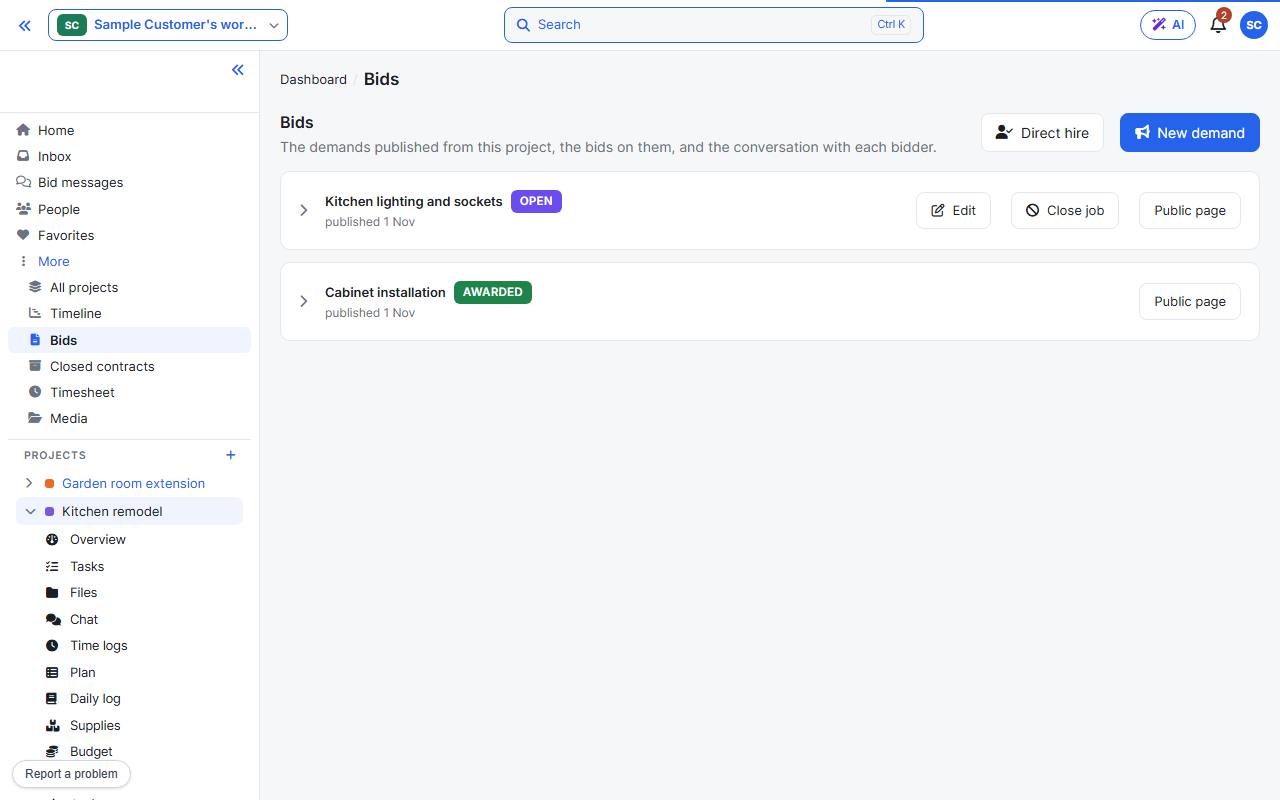
The project’s Bids page lists its demands. Expand one to see its bids. Bids under More in the sidebar shows them across all your projects.
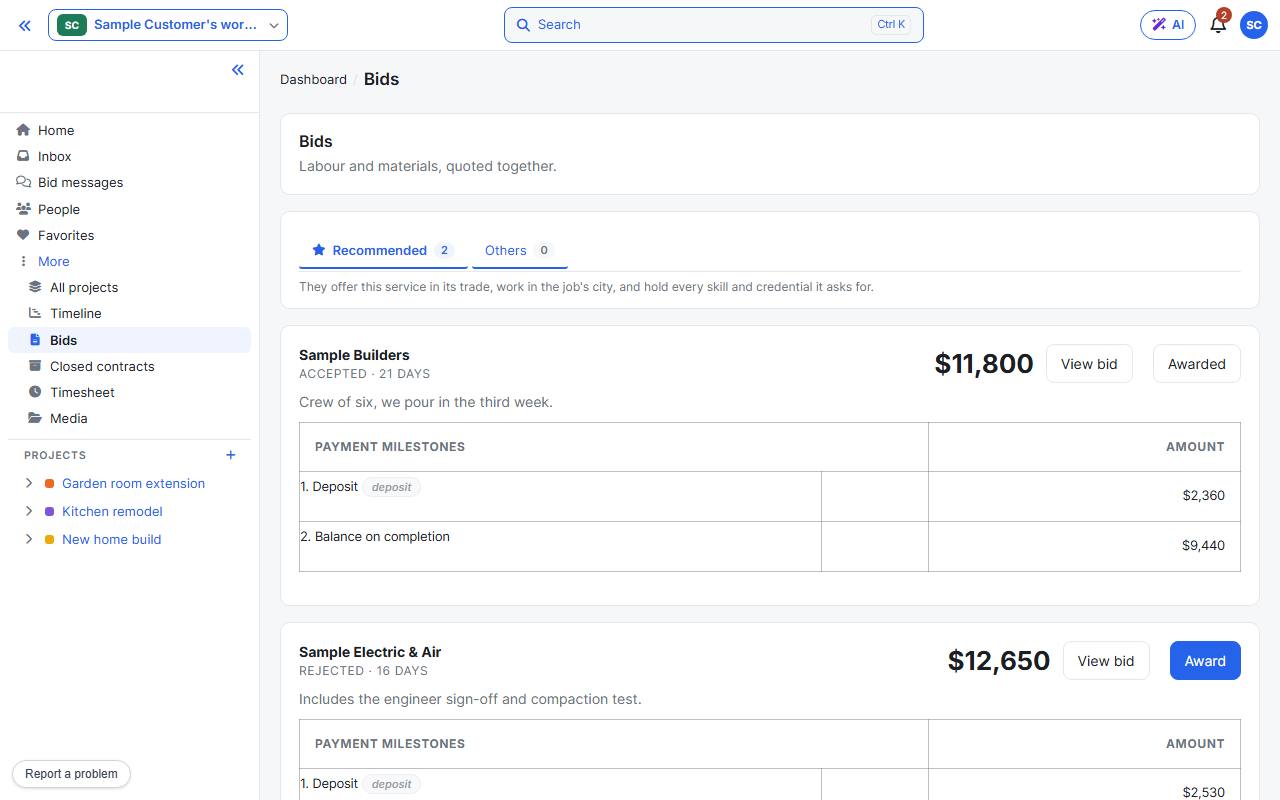
Each bid shows the vendor, the price, the days to complete, their message and the payment milestones. Recommended holds vendors who offer this trade in the job’s city and hold every skill and credential you asked for; the rest are under Others.
View bid opens the full offer: what the price covers, the contract, and a conversation with the vendor. Accepting a conversation does not award the job.
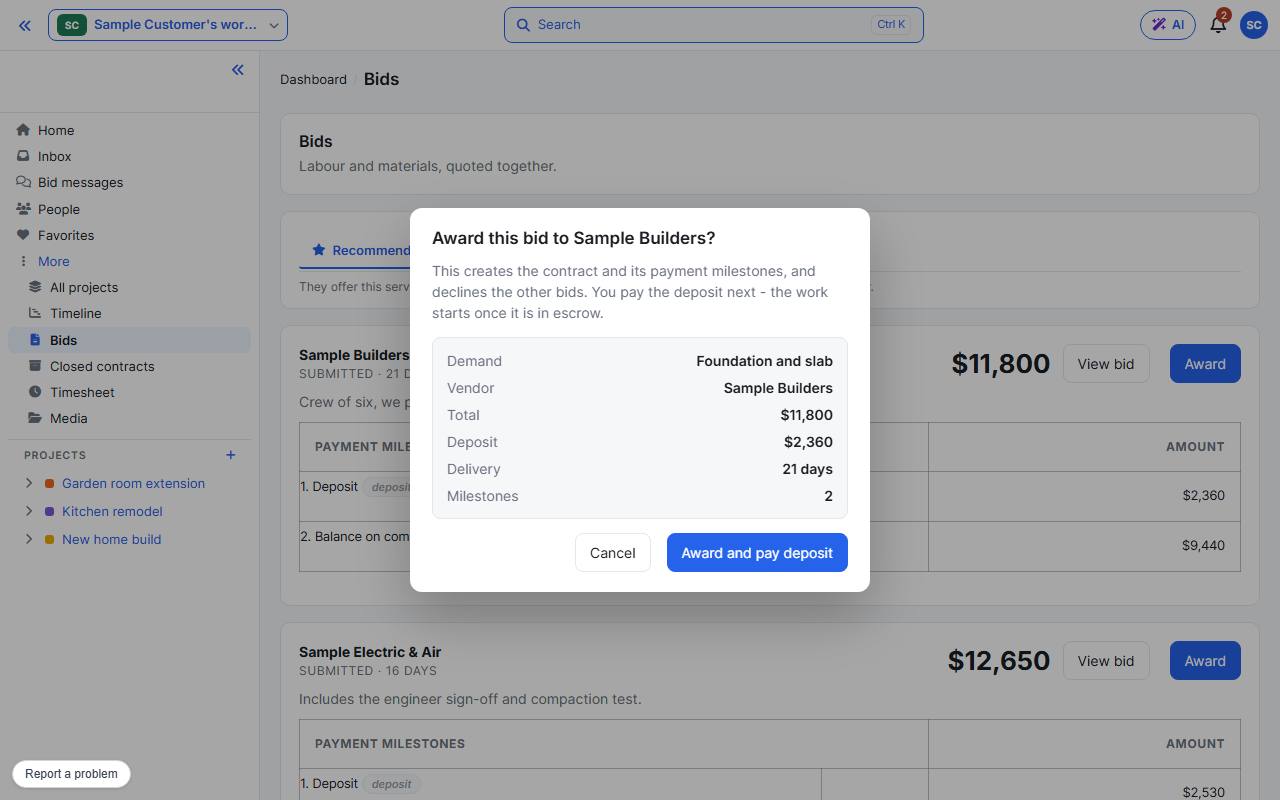
When you have chosen, press Award. Check the summary and confirm with Award and pay deposit. This creates the contract and its payment milestones. Next: Onboard the vendor.