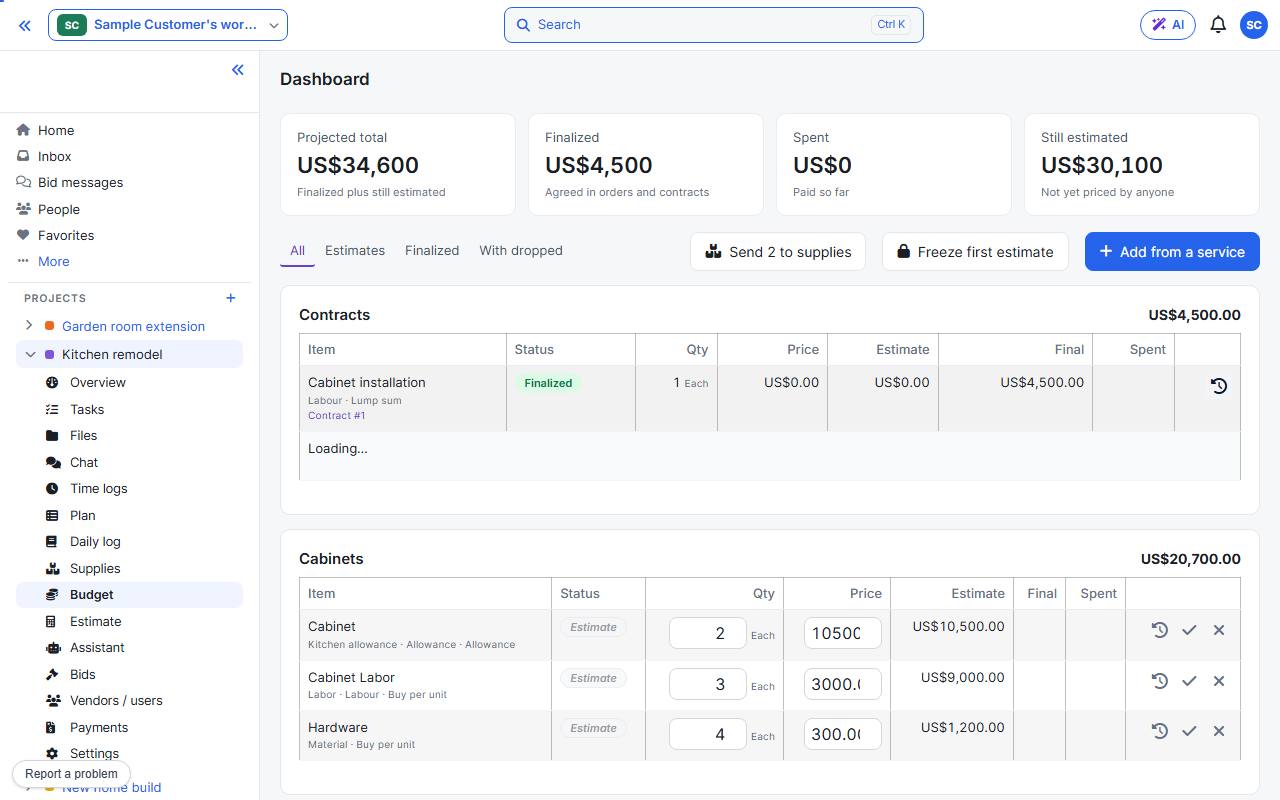
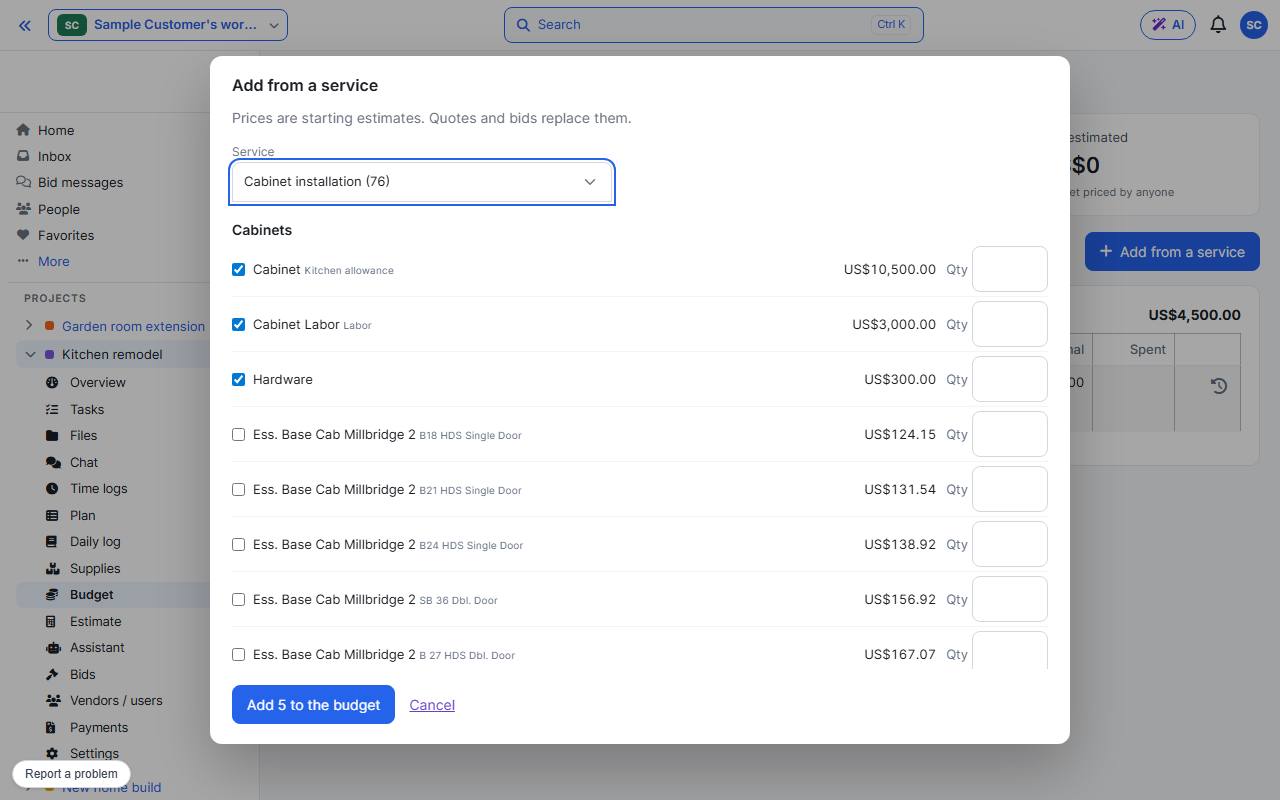
Open the project’s Budget page and press Add from a service. Choose a service, tick the lines you need and give each a quantity. Prices are starting estimates; quotes and bids replace them.
The top row shows the projected total, what is finalized, what is spent and what is still estimated. An awarded contract adds its own line by itself. Send to suppliers asks for quotes on your lines, and Freeze first estimate keeps a baseline to compare against.
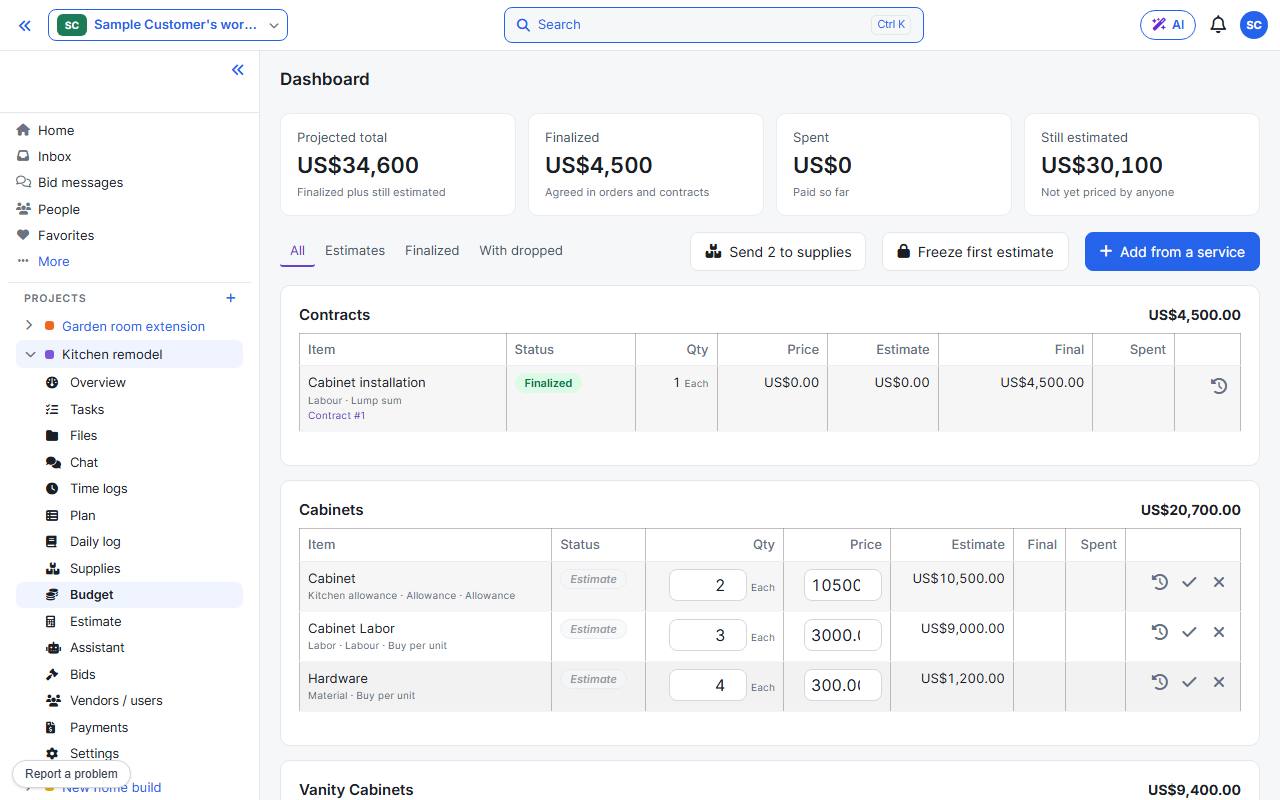
The clock icon on a line shows its history: who changed the price, and when.