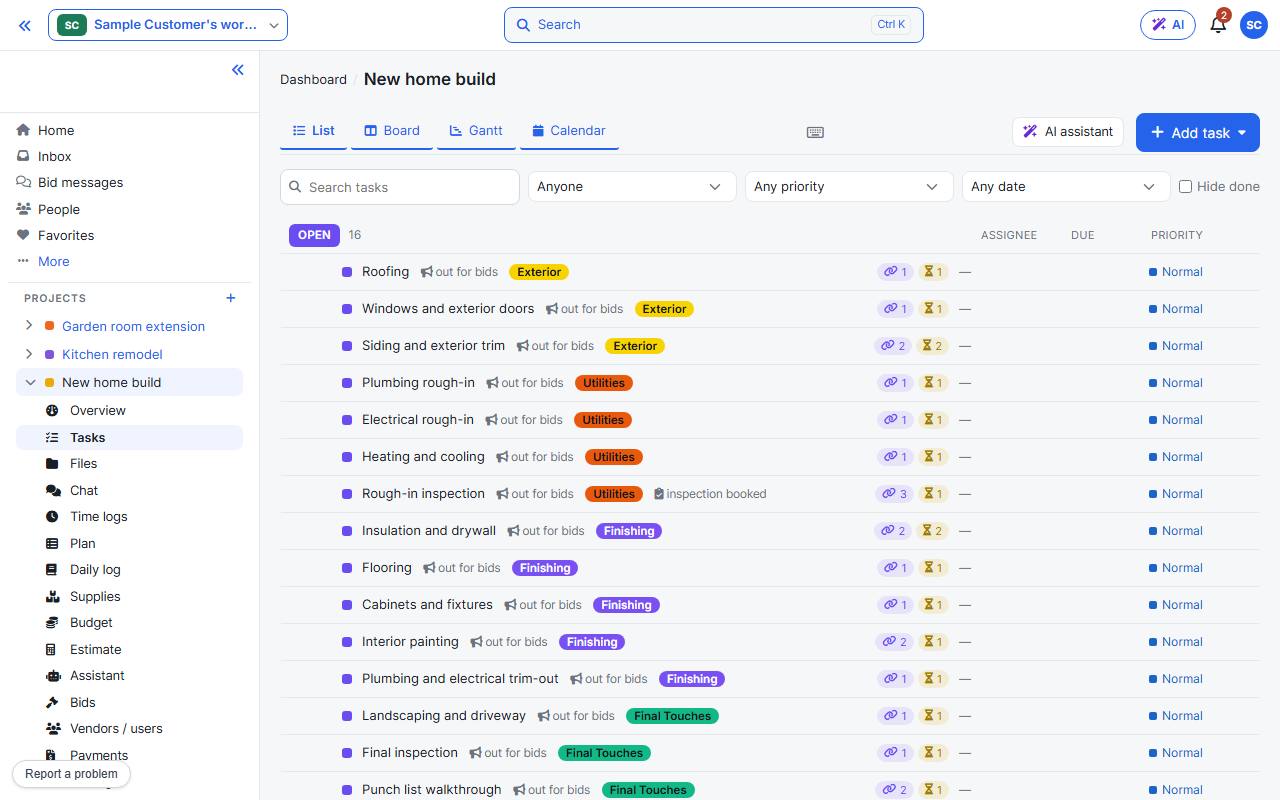
Open the project’s Tasks page. Tasks are grouped by status, with assignee, due date and priority. Search and filter along the top.
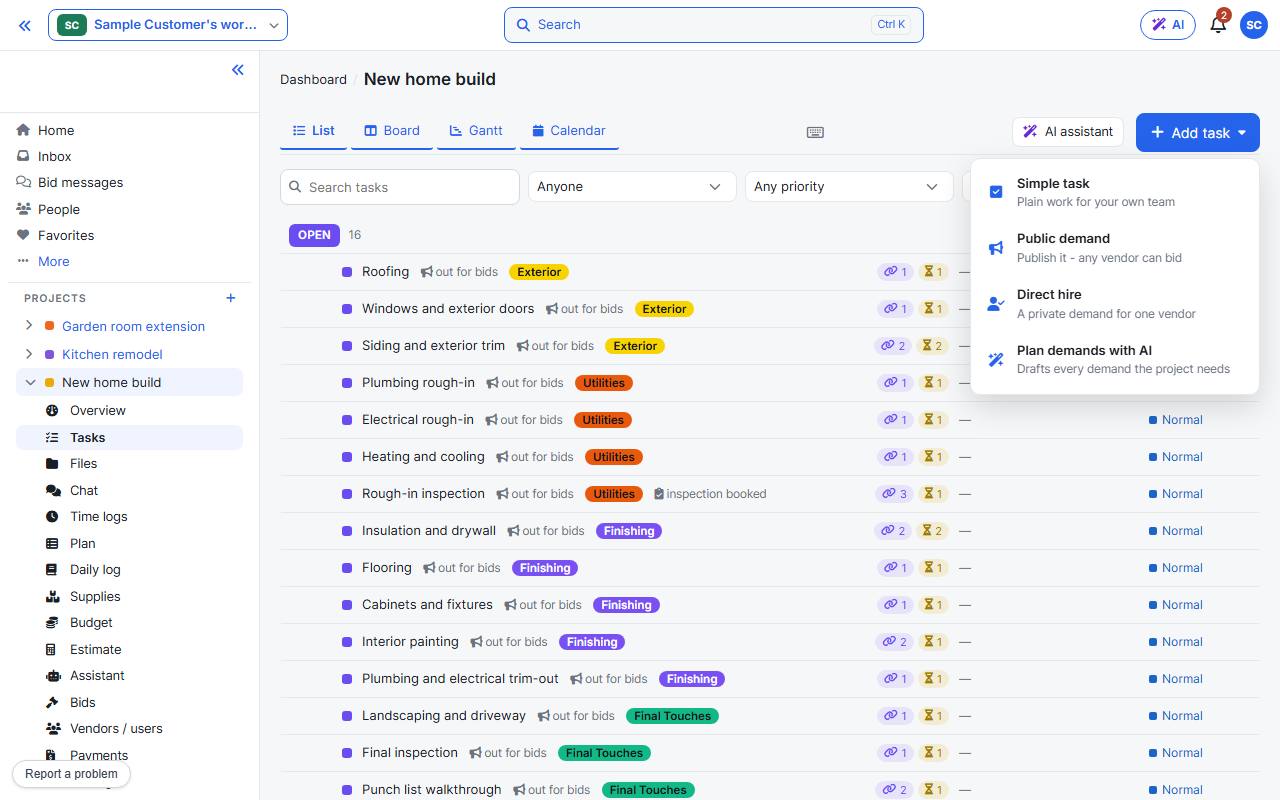
Add task offers four kinds. Empty task is for your own team; the others put work out to vendors: a public demand, a direct hire, or demands planned with the AI. + Add task under any status adds one right there.
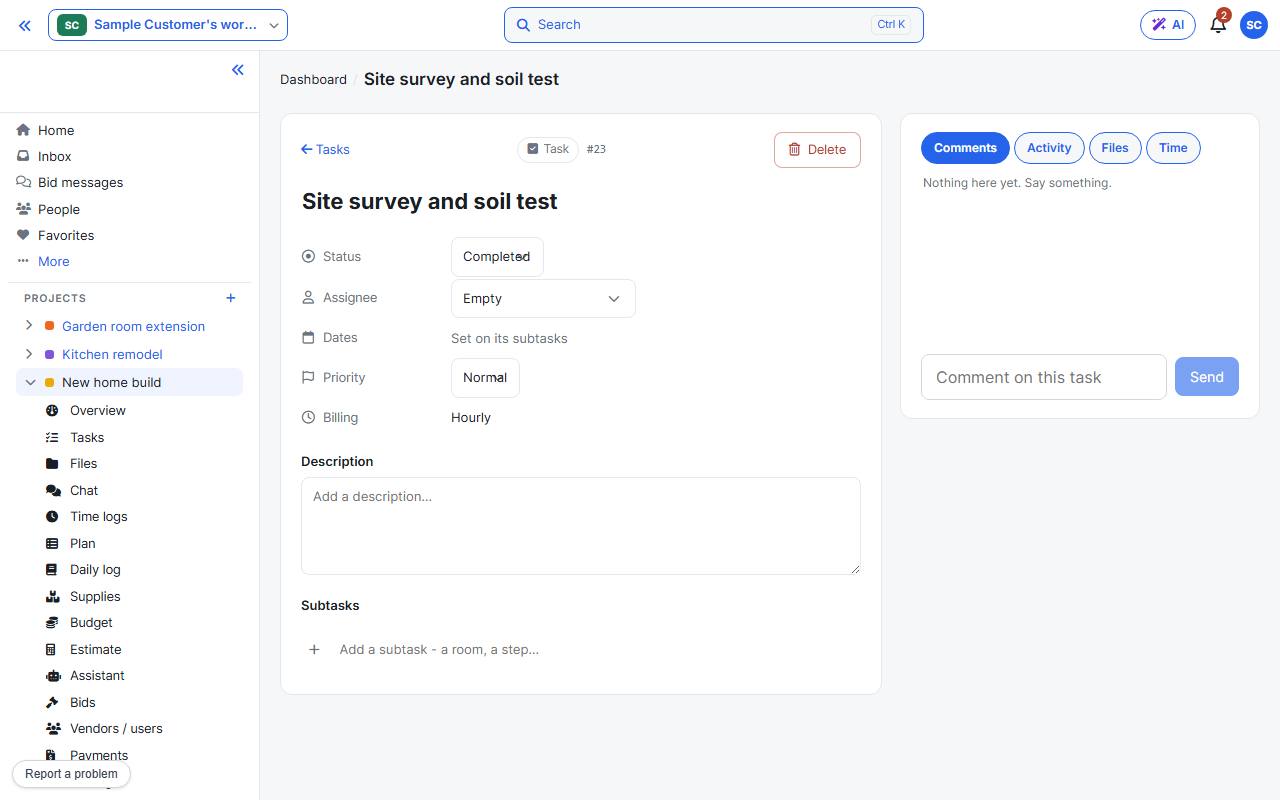
Open a task to set its status, assignee, dates and priority, write a description, break it into subtasks, and discuss it in the comments. Invite people first so you can assign to them: Invite your team.